IBM Netcool · AIOps

Turning a sea of alerts into a clear path to root cause.

IT operations teams were drowning in alerts, with no fast way to find the one that mattered. Netcool had the data to help them. It just didn’t look or feel like it.

Role
Senior Designer
Team
1 visual designer, me
Timeline
~1 year
Research
Stakeholder workshops to shape the roadmap, a user testing programme, and card sorting with real users
70%
less time to resolve incidents, as reported by users
netcool.local/operations-insight
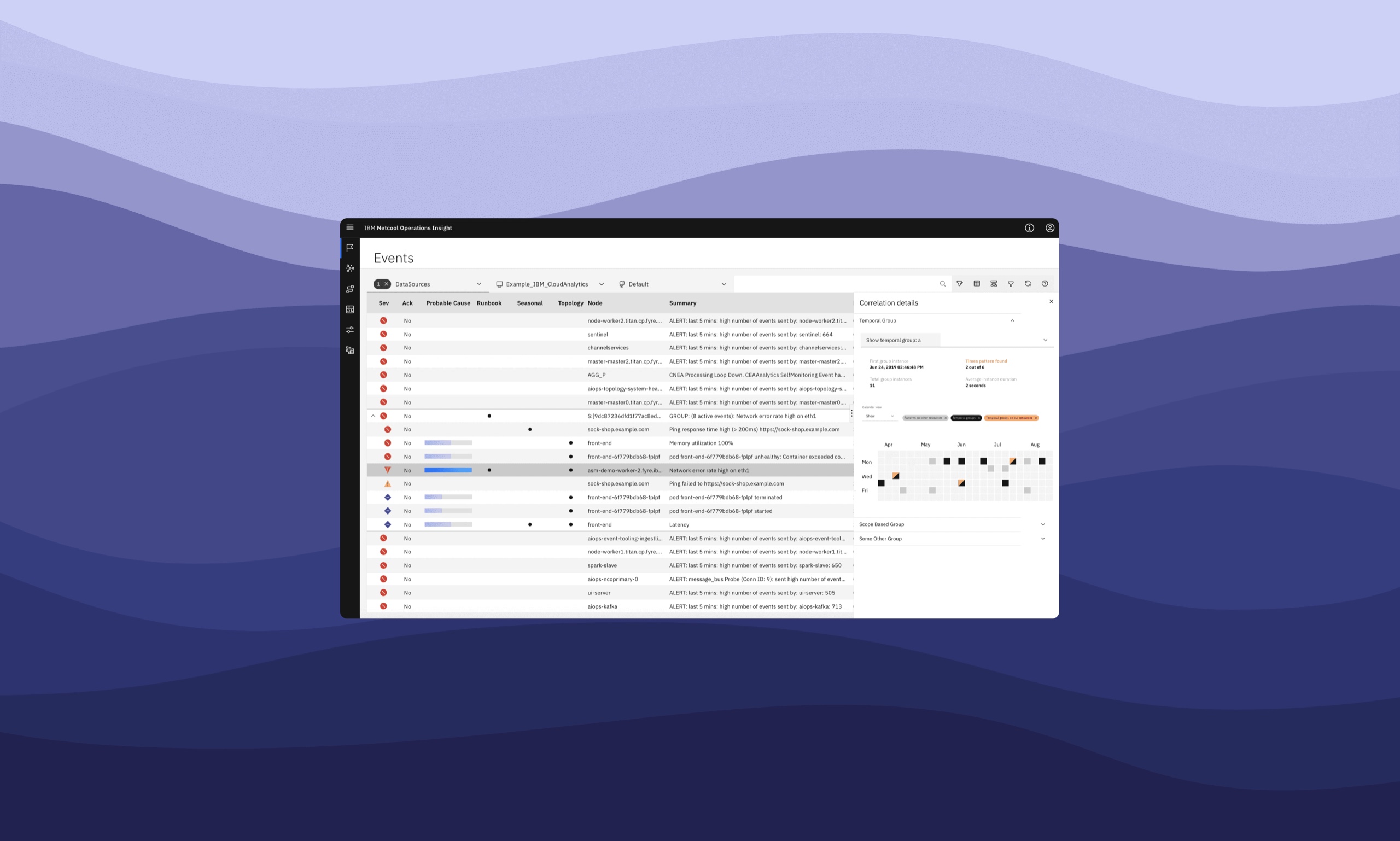
IBM Netcool Operations Insight: the events console, with correlation details and seasonal patterns
The events console, with correlation details and seasonal patterns
The challenge

A powerful product that looked its age.

Netcool Operations Insight helps DevOps and SRE teams resolve incidents and keep their infrastructure healthy. When I joined, it had years of data and capability behind it, but it looked and felt like a legacy tool.

The features people needed weren’t where they went looking for them, and that made new customers hard to win.
01An interface that looked oldIt was hard to sell to new clients when the product looked, in their words, old and ugly.
02Data without priorityTeams had plenty of data, but no help correlating it or knowing which alert to look at first.
03Automation nobody trustedOperators wouldn’t hand work to the system until they could see why it was doing what it did.
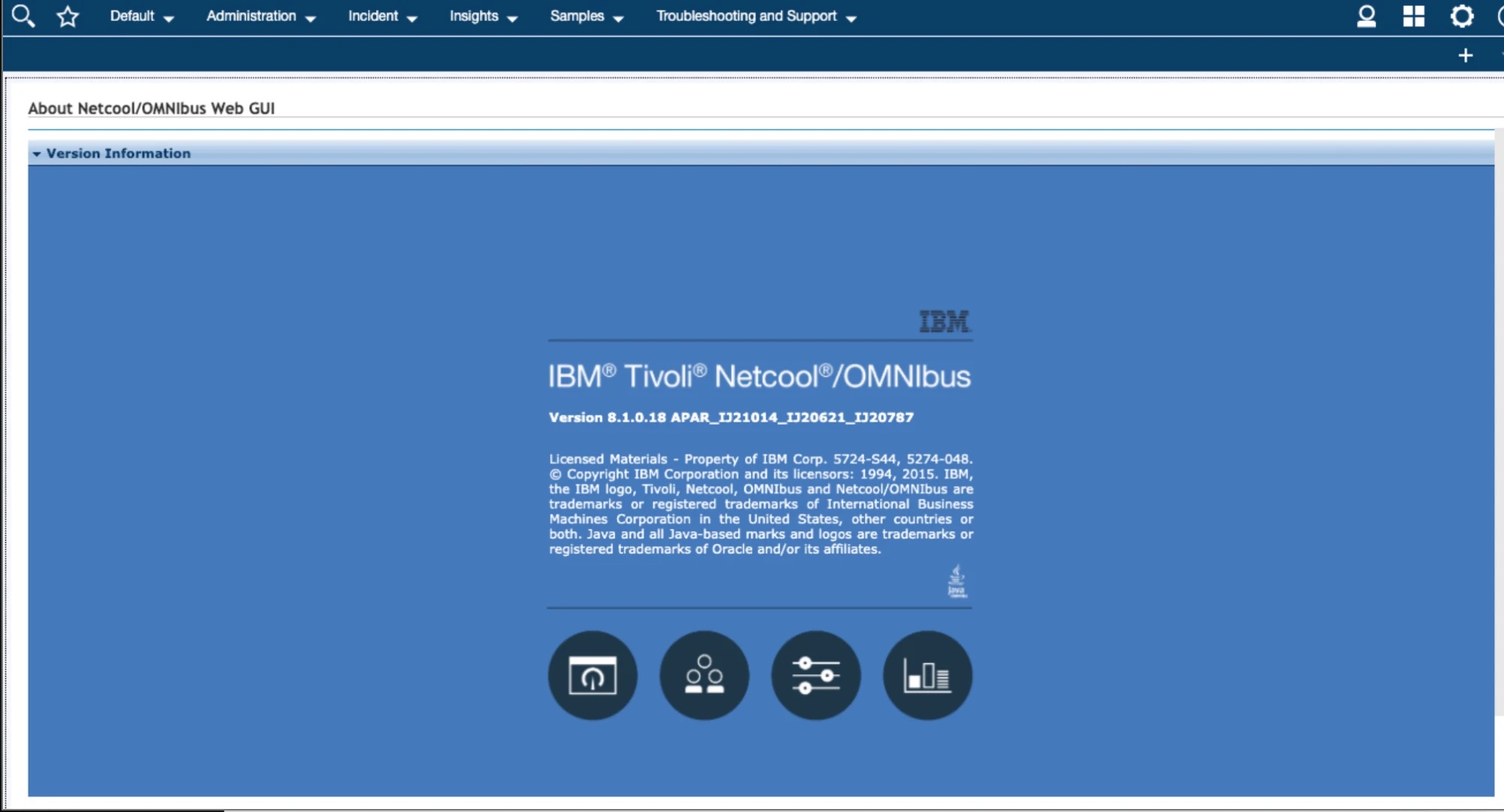
netcool · web gui (before)
The legacy Netcool/OMNIbus Web GUI: a dense blue About screen under a dark navigation bar
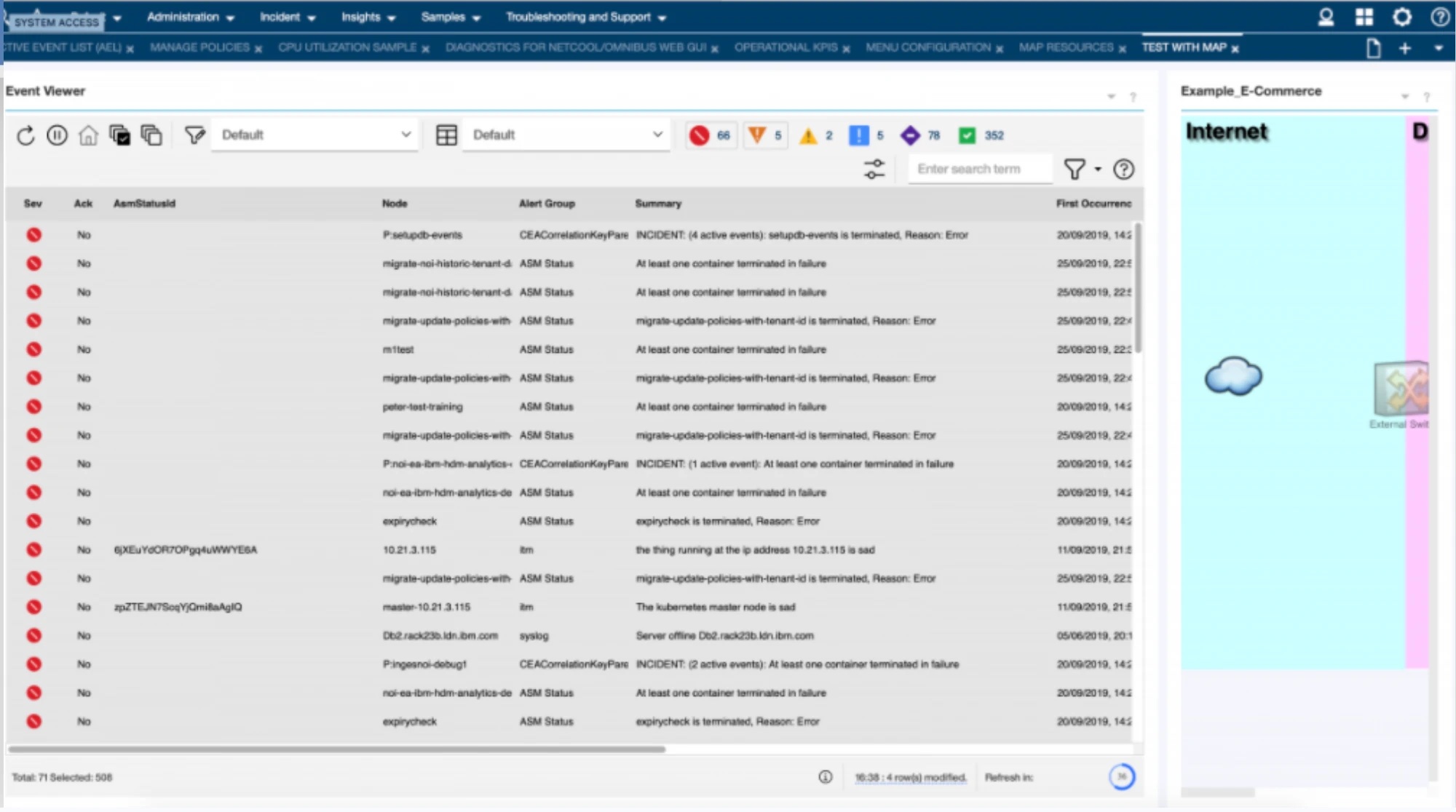
netcool · event viewer (before)
The legacy Netcool Event Viewer: a long table of alerts at equal weight, tabs, toolbars and a separate map pane
Where we started: a legacy web GUI, and an Event Viewer where every alert carried the same weight.

The challenge wasn’t simply to modernise the interface. It was:

How might we help DevOps teams respond to incidents faster, while bringing existing customers onto a new platform and winning new ones?

Who we designed for

Three people, one incident.

We designed around three roles that meet in the middle of every incident. They all need to know which alert to look at first, and to work through it together.

AnnetteIT operator
GoalDiagnose and resolve issues as fast as she can.
NeedsA clear place to start, from her very first day in the product.
CarlosOperations engineer
GoalPrioritise the alerts that matter and work through them with the team.
NeedsAnalytics he can see, tune and turn into triggers.
RJSite reliability engineer
GoalGet from an event to its likely cause, and fix it.
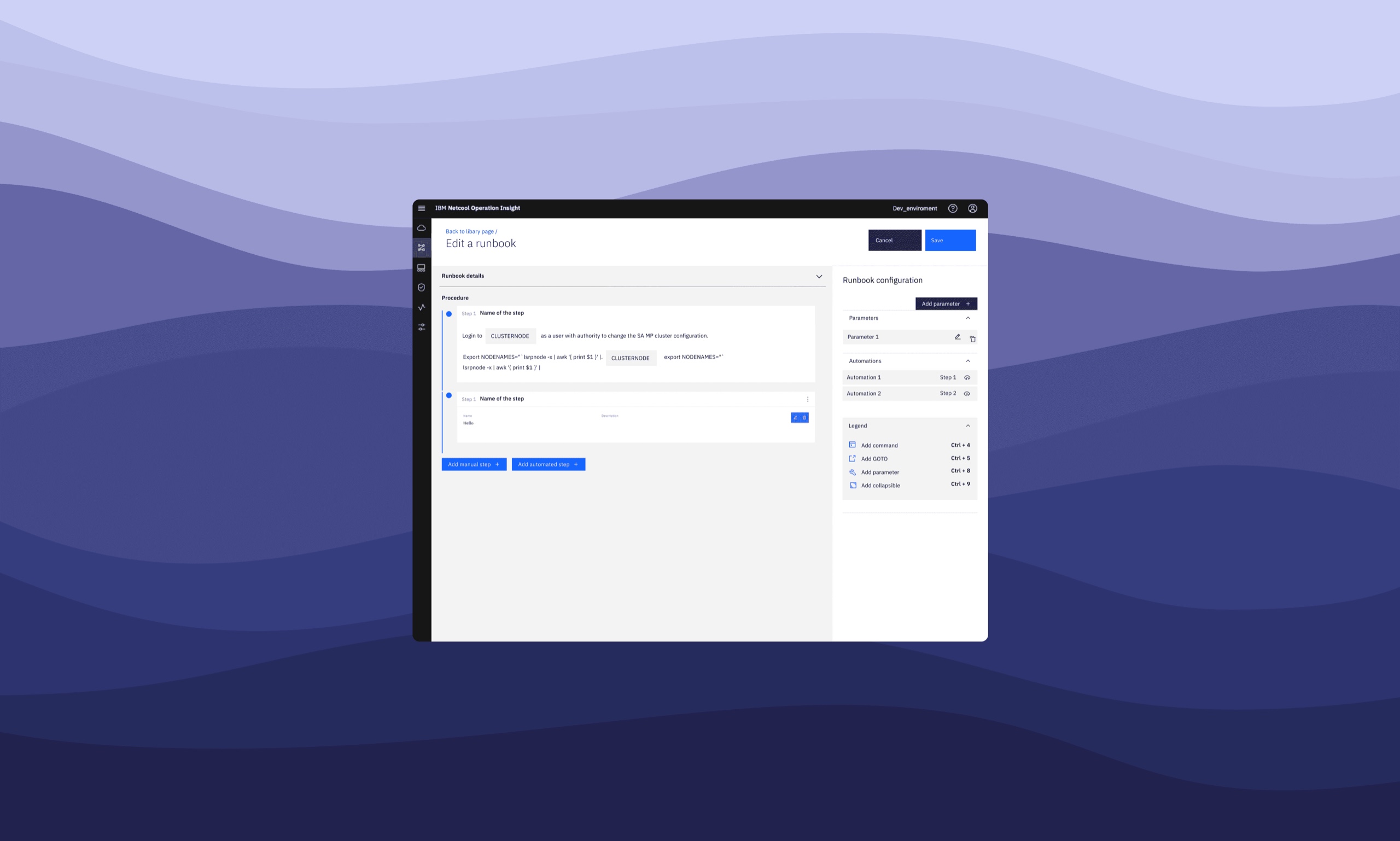
NeedsRunbooks and automation he can define without a specialist.
“I don’t trust the system by itself. You have to make me trust it.”

“We have lots of data. Help us correlate the most important ones and prioritise them.”

“The tools out there don’t give us enough flexibility.”

“We need to upskill our IT functions and automate some tasks.”

What operators told us in discovery.

Setting direction

Five goals, one main focus.

Before designing anything, we agreed what success would look like for the people using the product. We wrote it down as five goals, each one an outcome for a real user, and they shaped the whole roadmap.

The roadmap, as five goals
00Foundations
01Discover, try and buy
02Getting started
03Resolve issues faster
04Learn and prevent
The main focus, and the biggest opportunity.

Goal 03: Annette, Carlos and RJ can diagnose and resolve issues in 70% less time than with the previous solution.

It couldn’t simply say“Here are your alerts.”
It needed to say“Here’s the one that matters, and how to fix it.”

That became the brief for everything we shipped.

My role

I led the design from discovery to release.

Every week I sat in a three-in-a-box with development and product management to shape the roadmap. My work included:

discoverystakeholder workshopsuser testing programmecard sortinginteraction designredlines for developersUI bug triagedesign critiqueCarbon design system guild
What we shipped

From a wall of alerts to a likely cause.

Five decisions turned the event list into a place to start an investigation, not just a log of what went wrong.
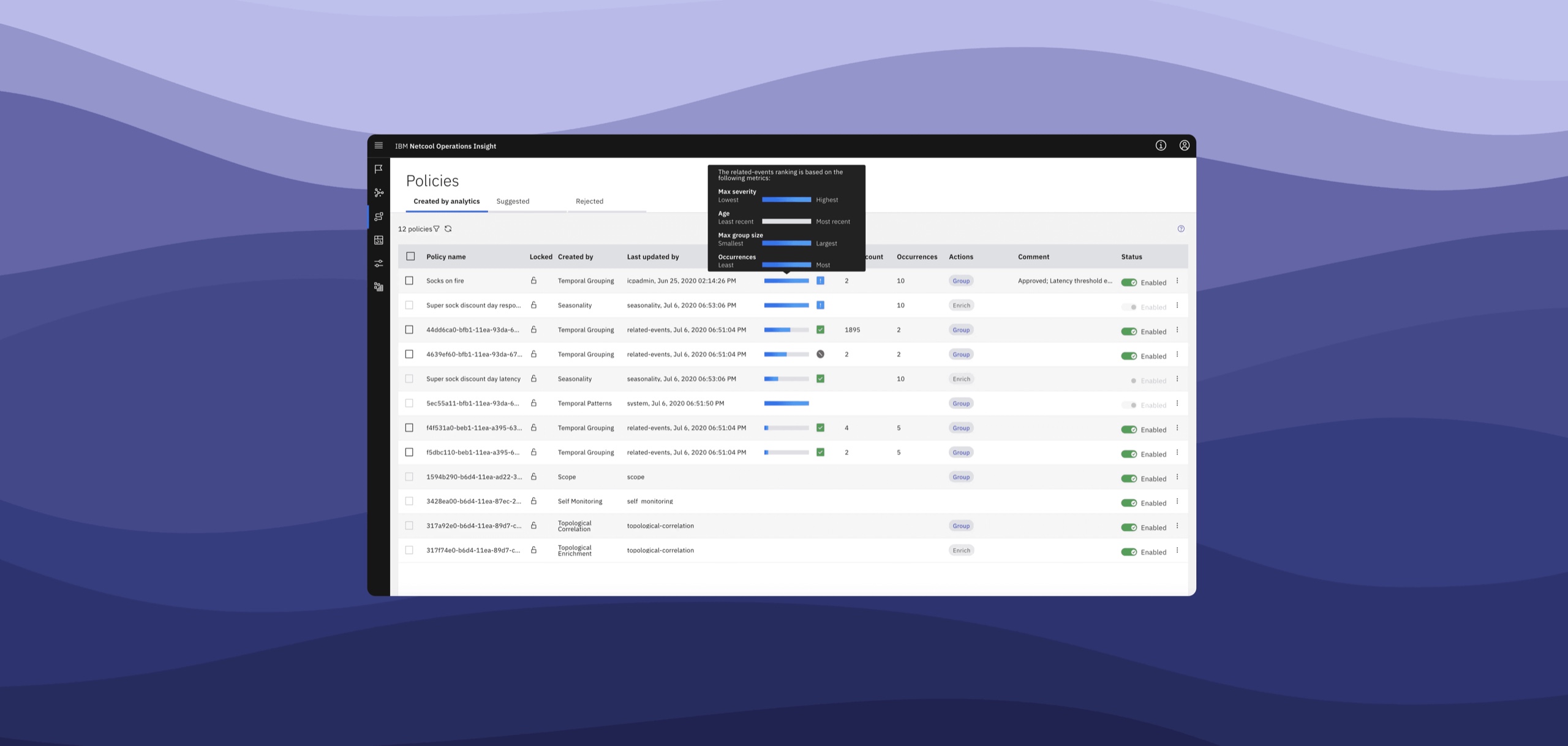
01Every event got a probable causeEvents are ranked by their most probable cause, so the first row is the place to start instead of the newest one.
02The topology came to the alertSelecting an event shows where it sits among the affected resources, without leaving the viewer.
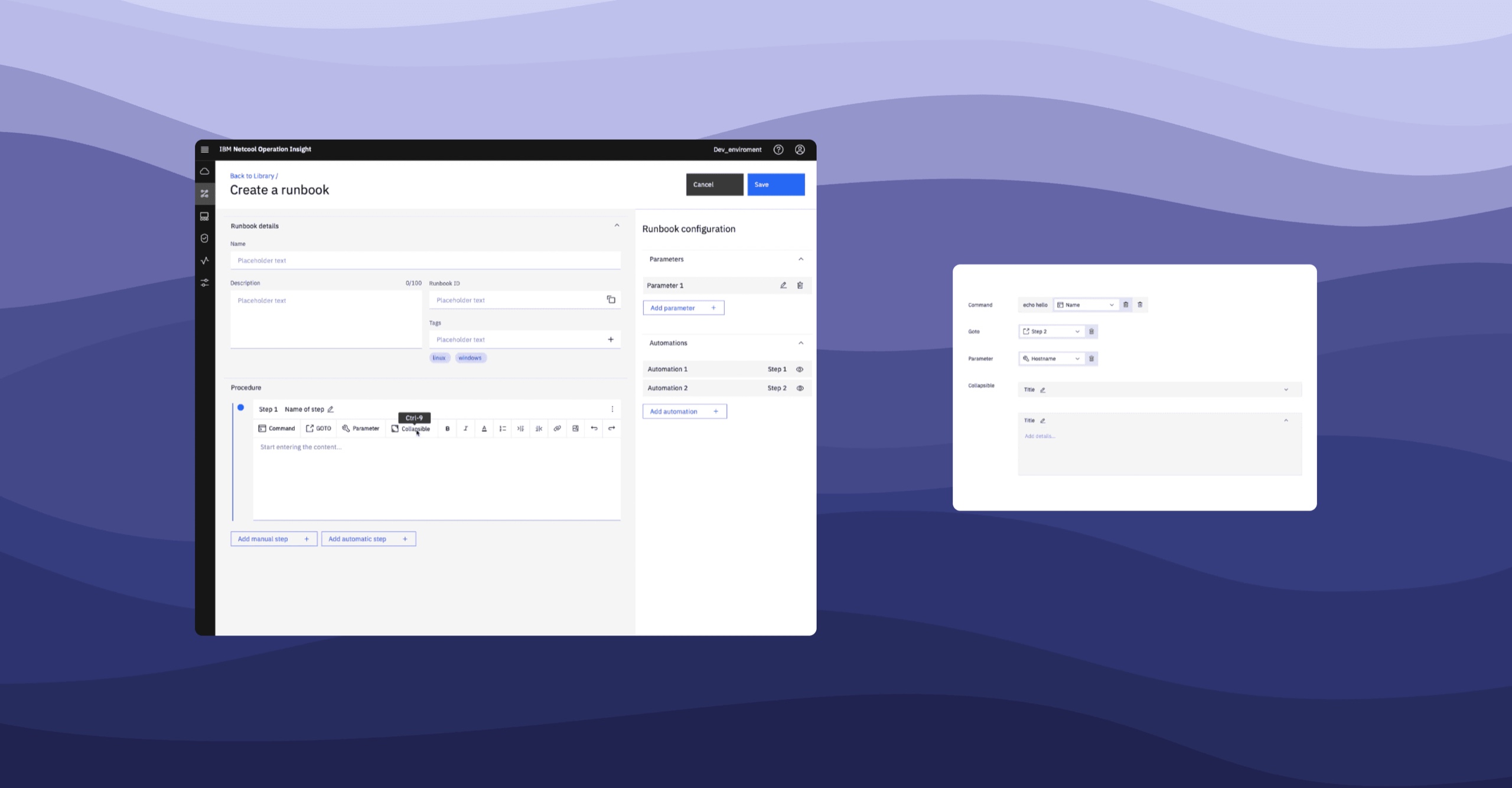
03Every correlation came with a runbookCorrelation could group a flood of alerts into one likely incident, but that only said where the problem was. Pairing each correlation with a runbook handed the operator a procedure to resolve it, not just a finding.
04Analytics became something people controlThe policies the system generates are visible and tunable, and creating a trigger to group events takes a few steps, not a specialist.
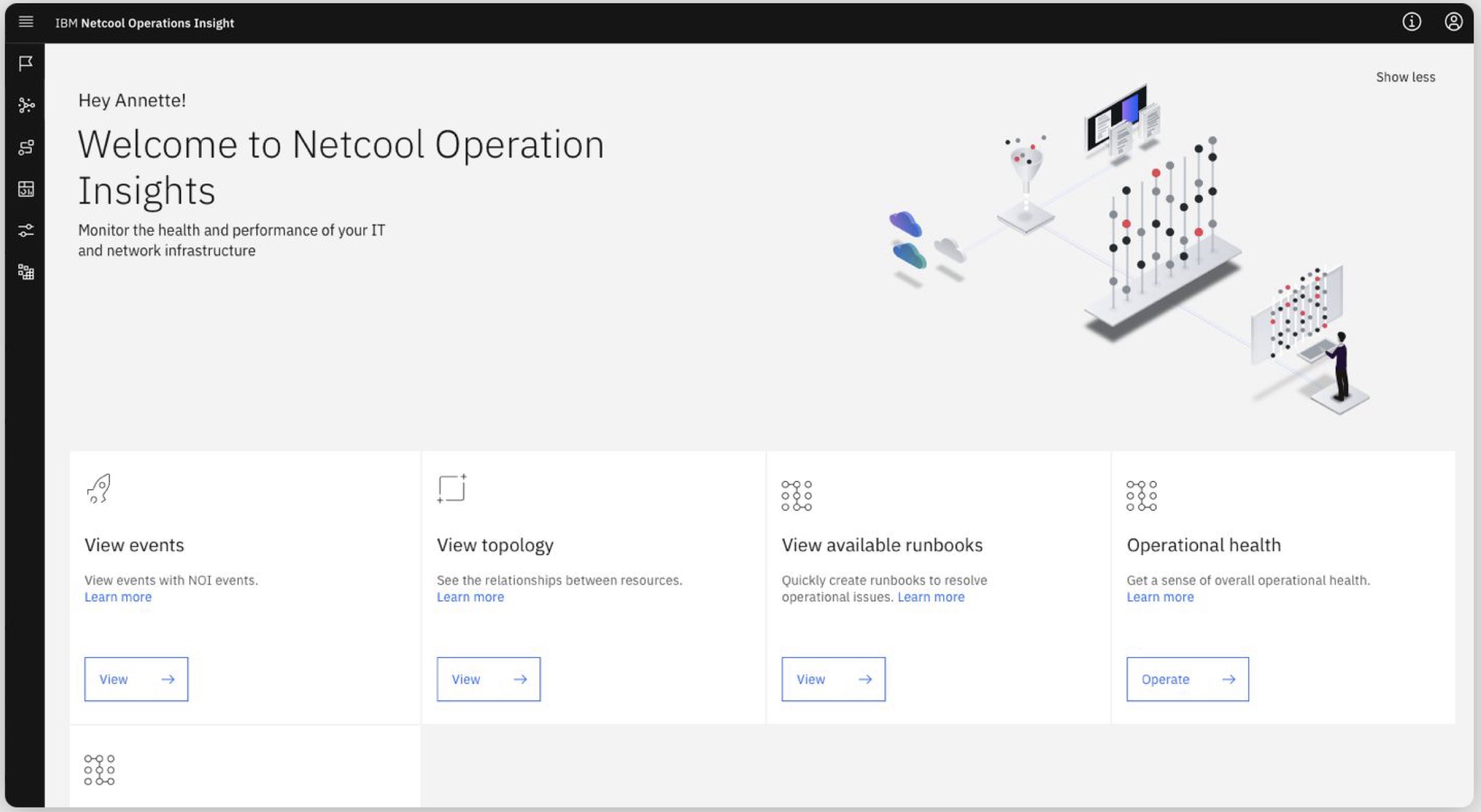
05Day one got a homeA first-run home points new operators to events, topology, runbooks and operational health, instead of an empty console.
netcool.local/operations-insight
IBM Netcool Operations Insight: tuning how policies rank and group alerts
Tuning how policies rank and group alerts
netcool.local/runbooks/new
IBM Netcool Operations Insight: creating a runbook: procedure paired with automation
Creating a runbook: procedure paired with automation
netcool.local/runbooks/edit
IBM Netcool Operations Insight: editing a runbook, step by step
Editing a runbook, step by step
Netcool Operations Insight · Welcome
The shipped Netcool welcome page greeting Annette, with entry points to events, topology, runbooks and operational health
The shipped first-run home, built around what an operator needs on day one.
How we got there

Research we could stick on a wall.

A discovery phase and stakeholder workshops defined the opportunities, and a user testing programme ran alongside the releases.

To get the navigation right, we card sorted the structure and taxonomy, first internally and then with users.
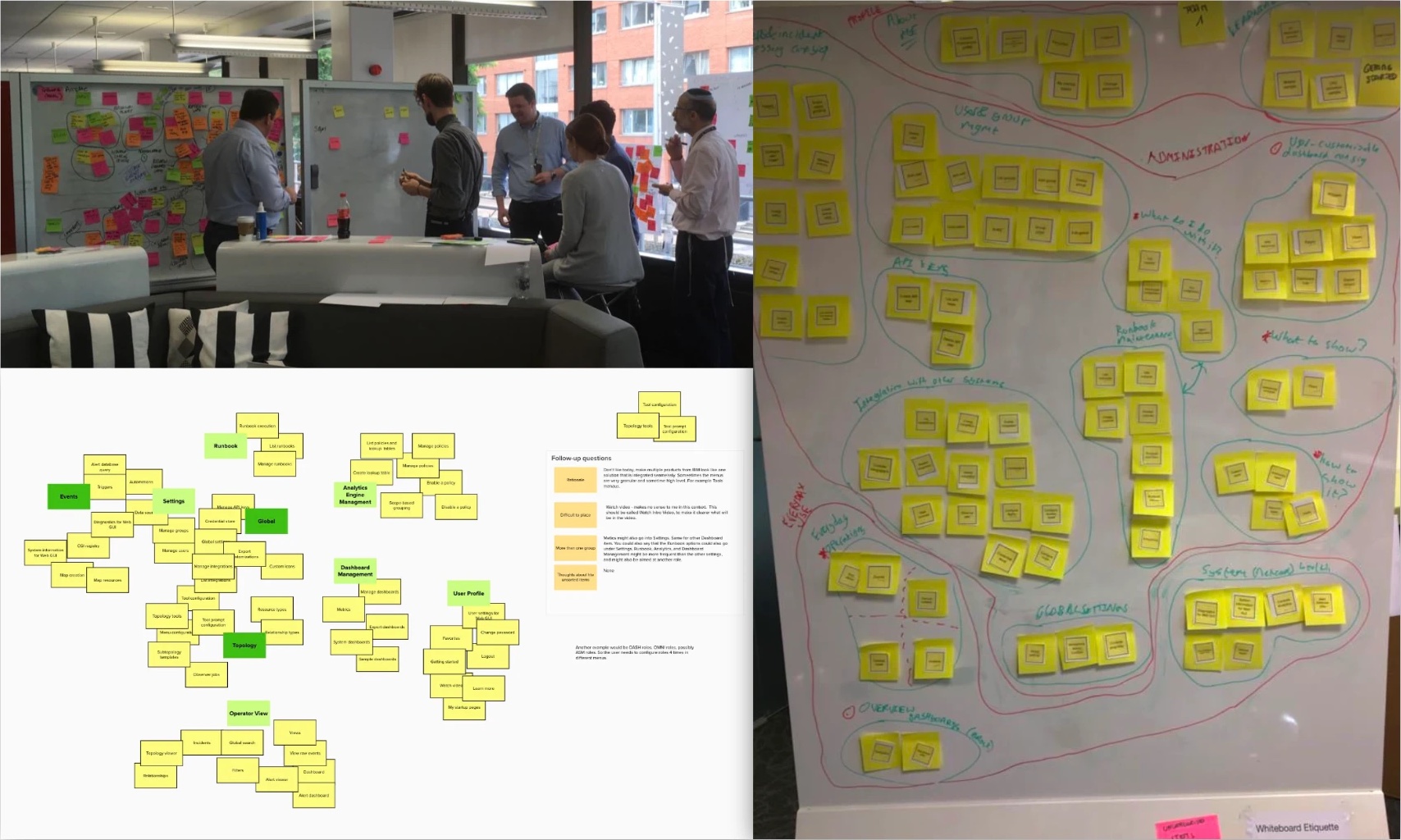
A card sorting workshop: the team grouping sticky notes on whiteboards, a digital card sort of the navigation, and a whiteboard of clustered notes
Workshops and card sorting: shaping the structure and taxonomy with the team first, then with users.
Impact
70%
Less time to resolve an incident, as reported by users, compared with the previous solution

That was our main goal, and we hit it. We moved customers onto the new UI, and usage grew with it.

“The new analytics policies are very useful, and we can control how they act.”

“The trigger creation is straightforward. With this flow, everyone in the team can create one.”

“Troubleshooting when collaborating is much more fluid now. Everyone is on the same page.”

What customers said after the release.

What I took away

Trust is a design problem.

“You have to make me trust it” turned out to be the real brief. Showing why events were grouped, and letting people tune the policies themselves, mattered as much as the machine learning behind them.

Go to next →