app.us.jupiterone.io/assistantLive prototype
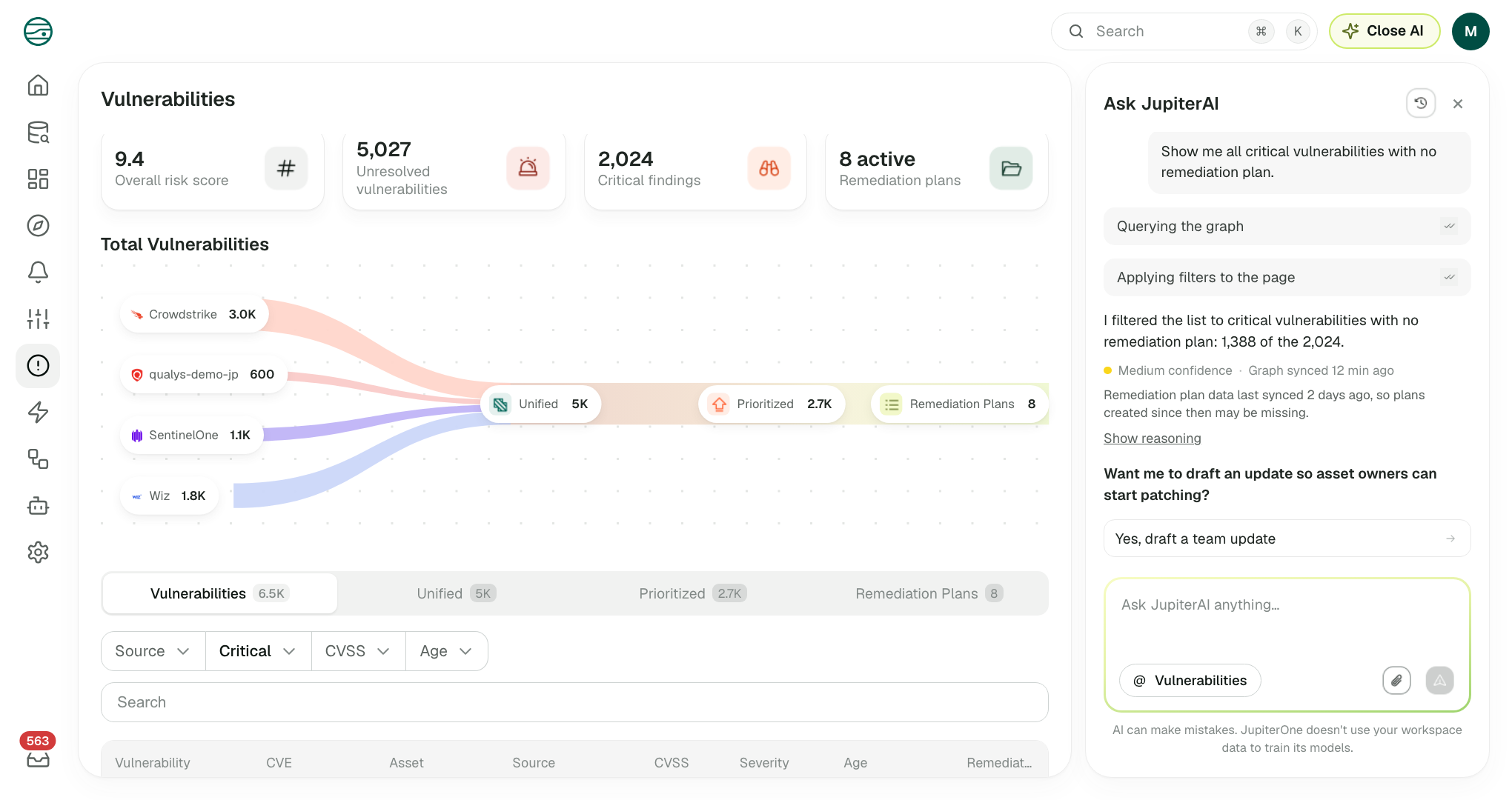
Featured prototype: Ask AI investigating vulnerabilities in context.
Security teams have plenty of data. What they lack is a fast, reliable way to connect it, understand what it means, and decide what to do next.
I led the design of the AI investigation and mitigation flow. AI now sits inside the workflow. It takes users from a question to verified evidence and a clear next step, and they stay in control the whole way.
A question like “Which AI agents can access production data?” requires tracing agents to IAM roles, checking permissions, identifying accessible resources and verifying that the data is current.
In JupiterOne, that meant writing J1QL or moving between Search, Graph Canvas and entity pages. The information existed, but connecting it into a reliable answer took too much effort.
A chatbot alone wouldn’t solve this. Security teams need to know where an answer came from, what it covers and whether the evidence is good enough to act on.
Three principles guided the work:
Before introducing AI across the product, I redesigned two key entry points.
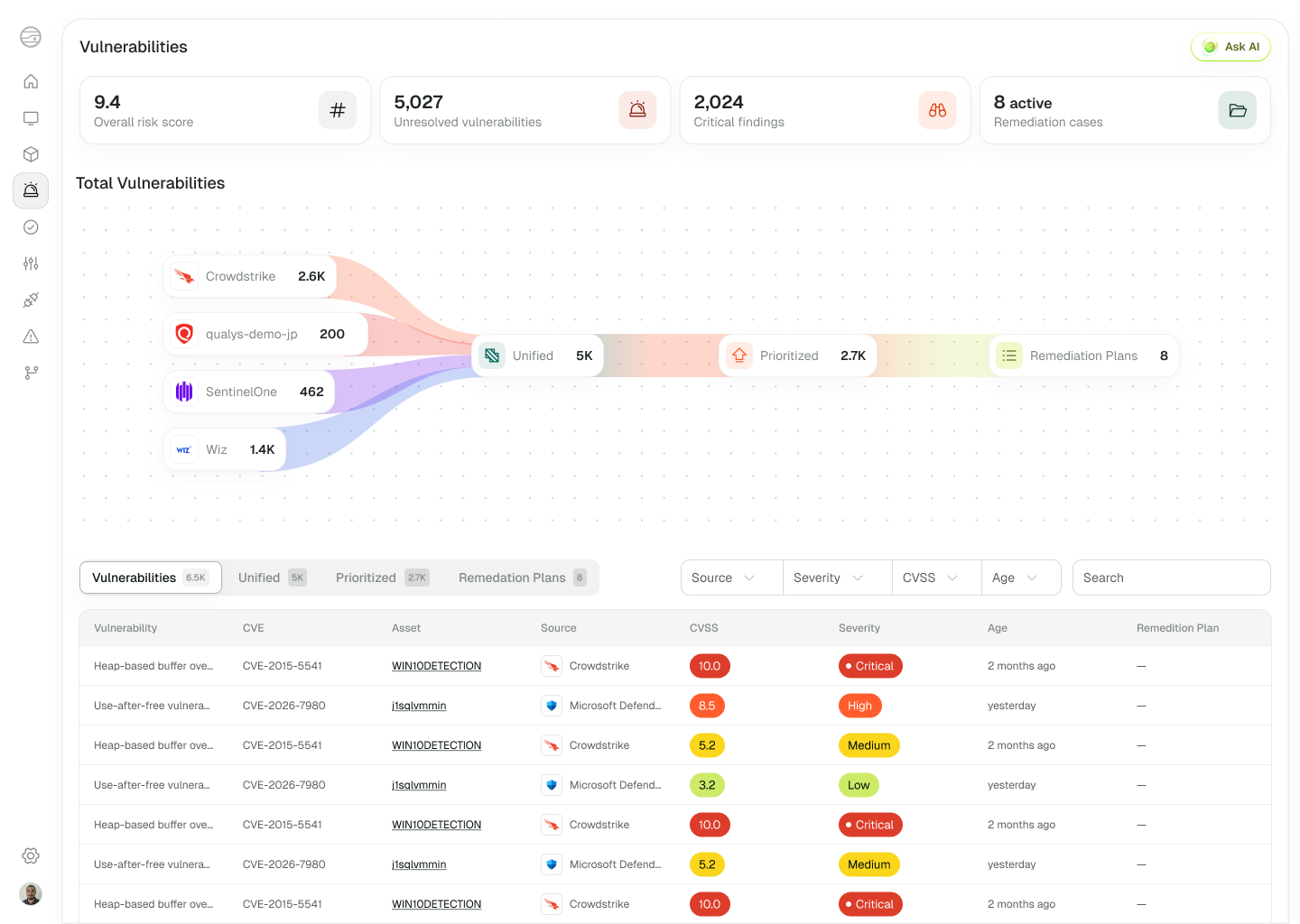
The new Vulnerabilities page brings findings from four sources into a prioritised list, linking each finding to its remediation plan.
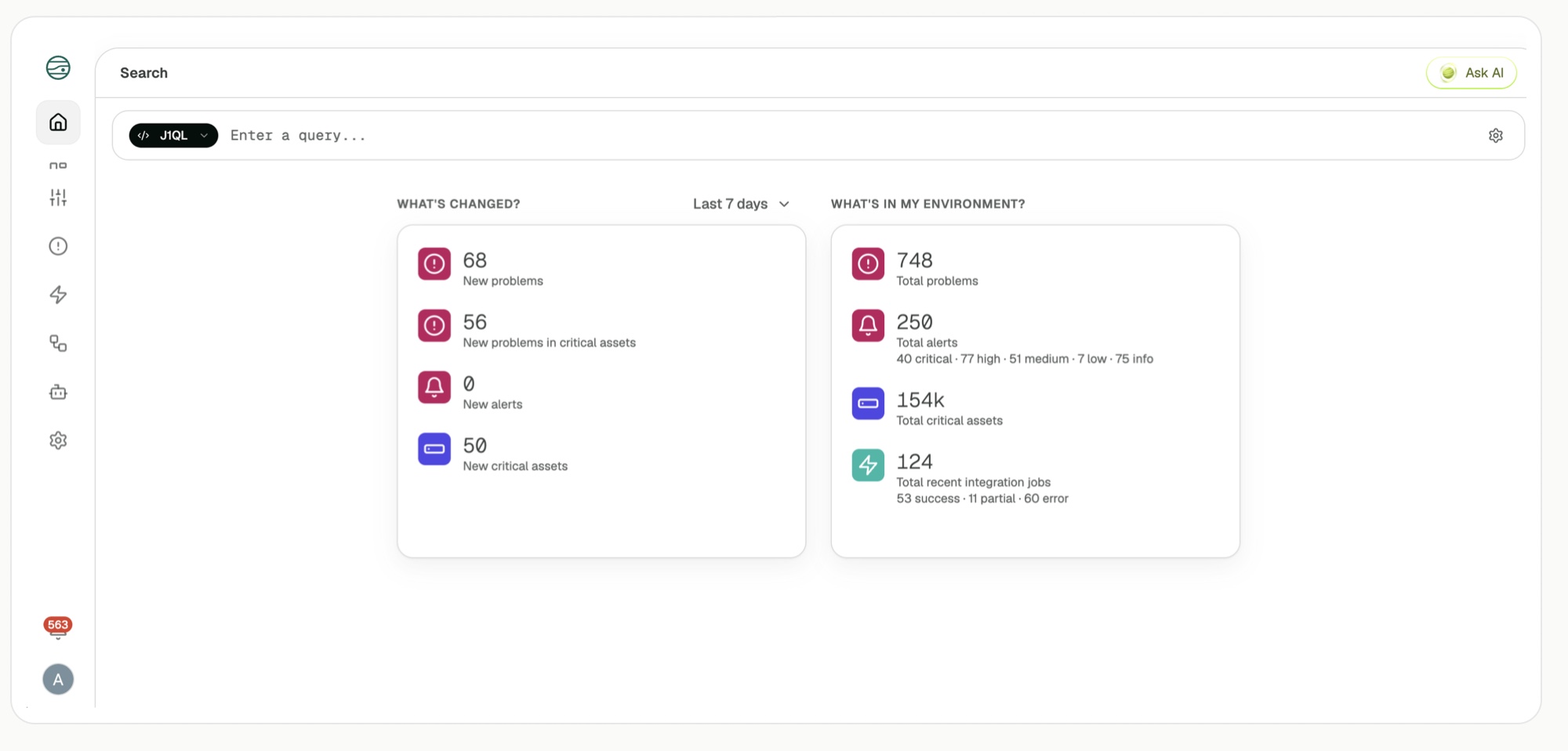
Instead of landing on generic counts, new customers select their goals. AI evaluates those goals against their connected data to create a more relevant starting point.

Rather than creating a separate destination for AI, I embedded the assistant into the places where investigations already happen.
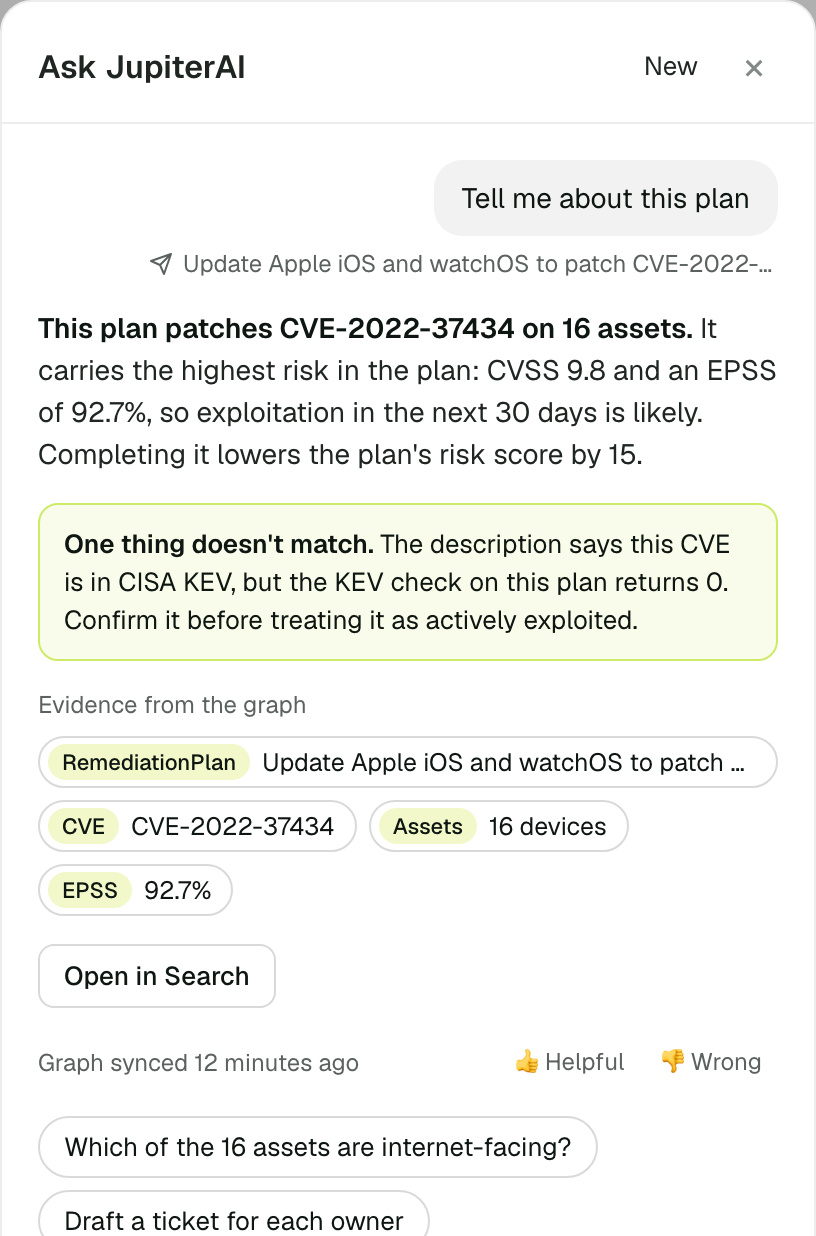
Ask AI opens from the current page or entity, carrying its context into the interaction. Its steps remain visible, and applied filters update the page itself.
Answers stay concise, with graph evidence, data conflicts, freshness and query access close at hand. Users can inspect the underlying query in Search and flag an answer as helpful or wrong.
The challenge was balancing transparency with scanability: enough evidence to verify an answer without overwhelming the user.
In Graph Canvas, the assistant interprets the traversal being built, highlights relevant relationships and explains the path. Users can add that path to their query without starting over.
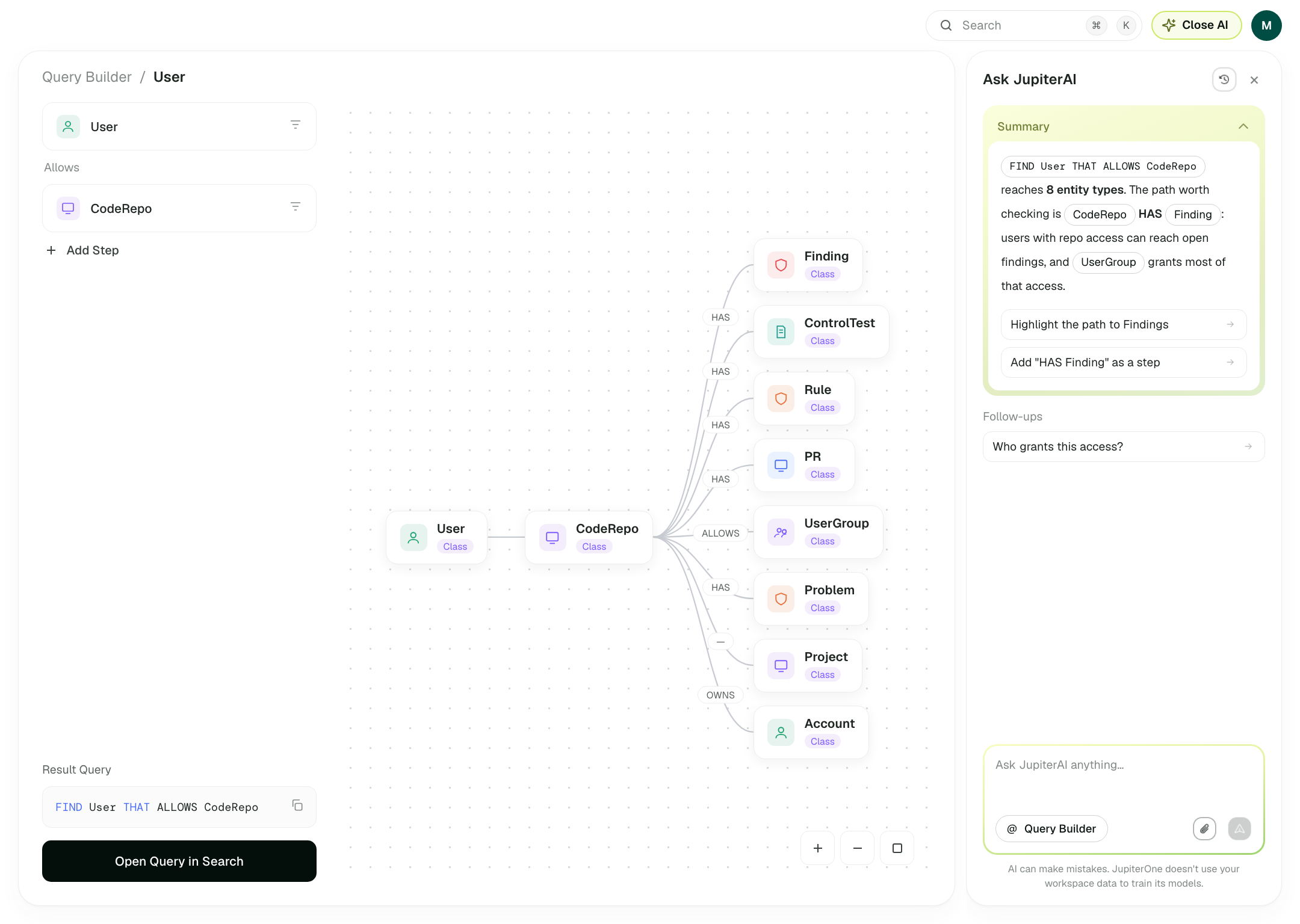 12345
12345When a control fails, Ask AI explains why, identifies affected assets and drafts a Jira ticket for the responsible owner.
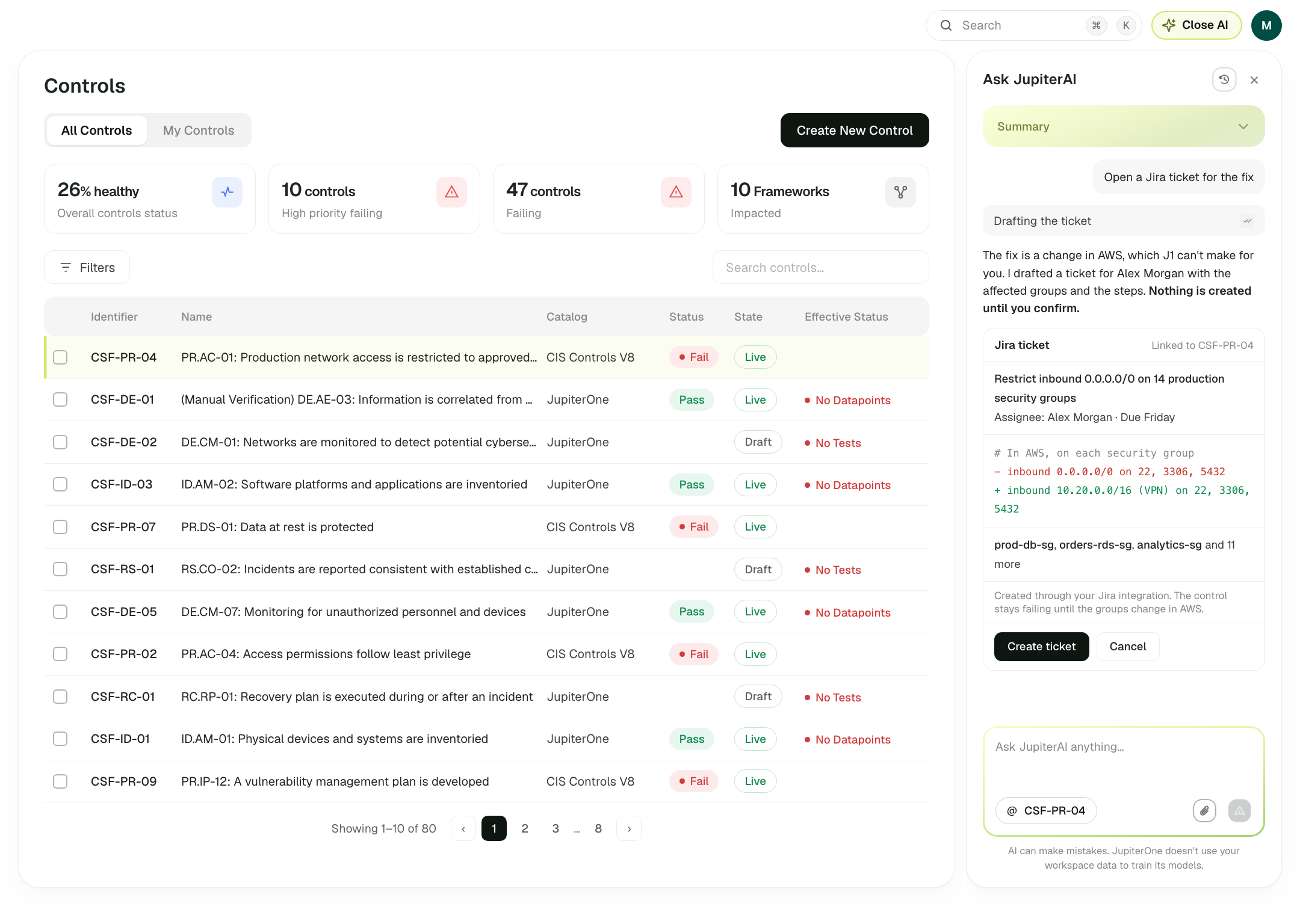 1234
1234The assistant doesn’t change the cloud environment itself. Users confirm ticket creation, and the control remains failing until a later evaluation confirms the fix.
The decision: make the next step actionable without promising more than the product can deliver.
Not every investigation produces a definitive answer. I designed four answer states rather than treating every response as a success.
For example, when asked which AI agents can reach production S3 buckets, the assistant traces the agents through their shared IAM role to accessible buckets. It also exposes the supporting relationships, integration status and last sync time.
You askedWhich AI agents have access to production S3 buckets?
3 AI agents can reach production S3 buckets. All three use the same IAM role, ai-pipeline-prod.
Evidence from the graph
The graph shows three AI agents, one shared IAM role and two S3 buckets.
Last synced 12 minutes ago. Every integration along this path is reporting.
At least 2 AI agents can reach production S3 buckets. There may be more.
What's missing
prod-eu-2 has no CloudTrail integration, so I can't see which roles its agents assume.support-triage hasn't synced in 9 days.Next step
3 AI agents can reach production S3 buckets.
You flaggedsupport-triage was decommissioned last week.
You're right. I re-checked against the current graph: the role on support-triage was detached 6 days ago. 2 AI agents can reach production S3 buckets.
What changed
Why it was wrong: the first answer read a cached snapshot from before the change.
I can't answer this from your graph. None of your integrations report AI agents, so there are no AIAgent entities to check, and guessing would be worse than saying so.
Try this query once an AI integration is connected
FIND AIAgent THAT ASSIGNED aws_iam_role
  THAT ALLOWS aws_s3_bucket
  WITH tag.Environment = 'production'
Next step
Ask AI spans entity panels, Graph Canvas, Vulnerabilities, Controls and Home. I established a shared model for context, answers, evidence, uncertainty and next steps, adapting the presentation to each surface while keeping behaviour consistent.
I built the assistant using JupiterOne’s existing design system and packaged it as a Claude skill. This guided AI-assisted prototyping to use real components and named colour tokens instead of inventing new ones.
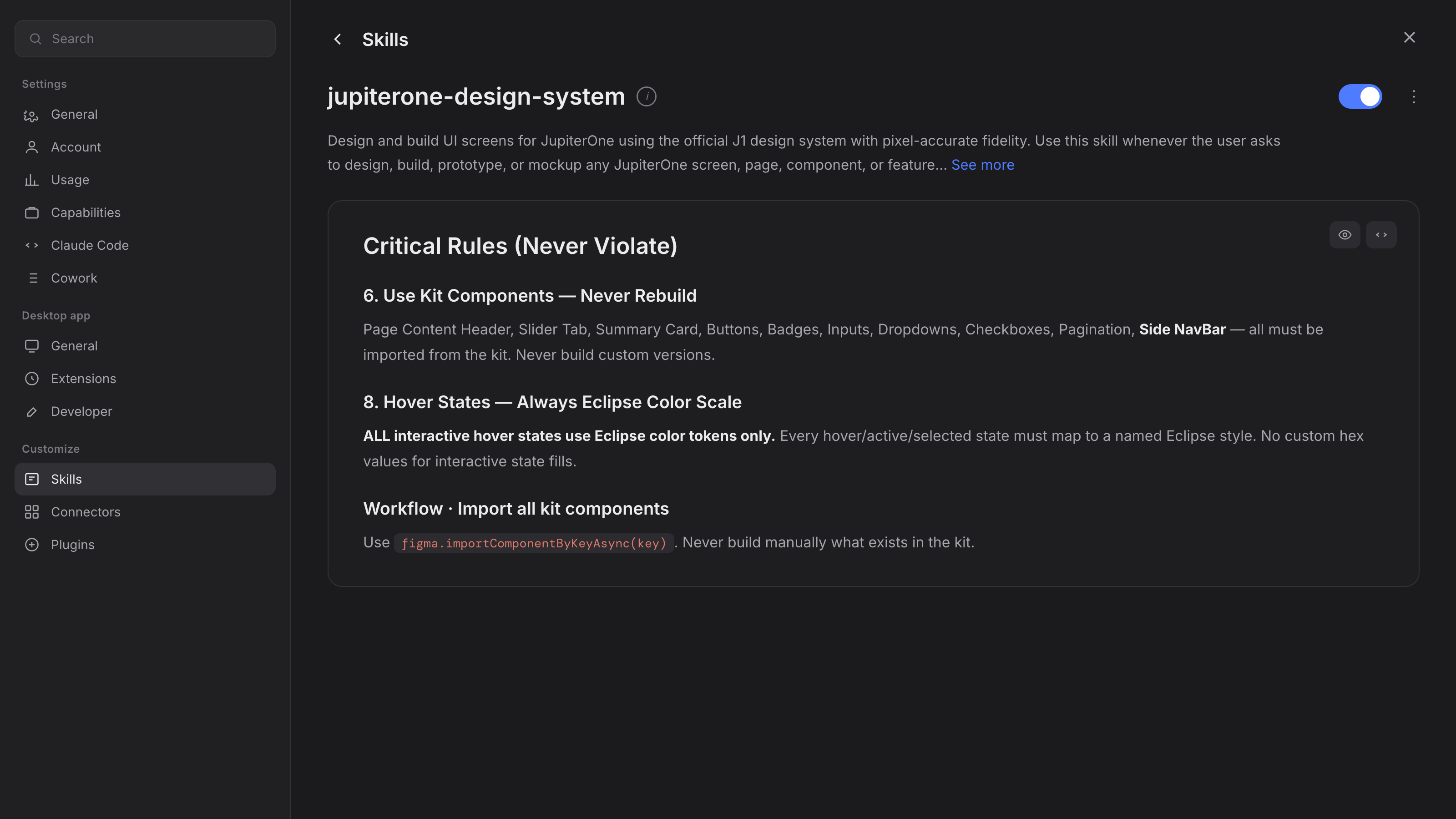
Evaluation sessions tested whether users could find answers faster, verify supporting evidence and understand when a response was reliable enough to act on.
These results come from evaluation sessions, not production-wide measurements.
I stopped treating AI as a chat interface to fit into a security platform. I designed an investigation workflow in which AI helps users connect evidence, understand uncertainty and decide what to do next.
Generating an answer is the easy part. The real design work is helping people know when to trust it.